

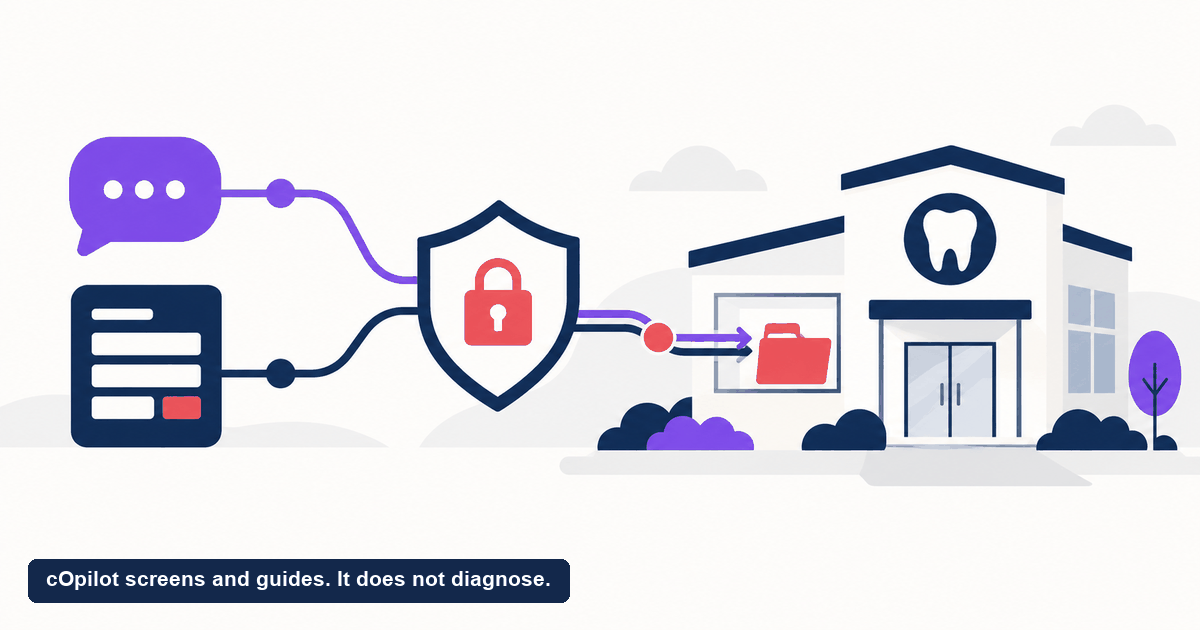
A new patient lands on your site at 9pm, fills in an intake form, and types their symptoms into a chat box. The moment they hit send, your practice is holding protected health information. If those tools are not set up correctly, you have collected patient data online in a way that could expose the practice. That is why HIPAA-compliant forms online and compliant chat matter so much for dental clinics. This guide walks through what the rule actually covers, what to check before you buy any tool, and where a compliant chat front desk fits. One note up front: this is general best-practice information, not legal advice. Confirm anything specific to your practice with a qualified compliance professional or attorney.
What makes an online form or chat HIPAA compliant?
There is no official “HIPAA certified” badge a vendor can buy. When people say HIPAA-compliant forms online, they mean the tool and the way you use it meet the requirements of the HIPAA Privacy and Security Rules for handling protected health information, often shortened to PHI.
For a dental practice, PHI shows up the moment a form or chat collects something like a name tied to a symptom, an appointment reason, insurance details, or a photo of a tooth. A few things generally need to be true for that collection to hold up.
- Encryption in transit and at rest. Data should be protected while it travels from the patient’s browser to the vendor, and while it sits in storage.
- Access controls. Only authorized staff should be able to see the records, with logins rather than a shared inbox.
- A Business Associate Agreement. If a vendor touches PHI on your behalf, you generally need a signed BAA that spells out their obligations.
- Audit trails and retention rules. You should be able to see who accessed what, and data should be kept and disposed of according to policy.
A generic web form emailing submissions to a shared Gmail account, or a chat widget that logs everything to an unsecured server, fails several of these at once. The mechanics matter as much as the marketing copy.
Compliance is about
- Encryption in transit and at rest
- Who at the vendor can see the data
- A signed agreement covering the handling
Compliance is not
- A badge or a claim on a pricing page
- Something the practice can delegate entirely
- Settled once and never revisited
What does the rule actually cover?
HIPAA dental compliance trips people up because the rule is broader than the intake form itself. It covers the whole path the data travels. A form can be locked down, but if the notification email that follows contains the patient’s symptom and full name, that email is now PHI moving through an unsecured channel.
Three ideas are worth keeping straight.
Covered entity and business associate. Your practice is the covered entity. The form builder, chat vendor, or hosting provider that handles PHI for you is a business associate. Both carry obligations, and the BAA is what ties the vendor to them.
Minimum necessary. Collect only the data you actually need for the task. An online booking flow does not need a full medical history to reserve a new-patient slot. Asking for less reduces both risk and patient drop-off.
The patient’s expectation. Patients assume the details they type into your website stay private. Meeting HIPAA is the floor, not a marketing extra. Falling short damages trust long before any regulator gets involved.
If you want to see how a compliant front-desk workflow is meant to fit together, our AI receptionist for dentists hub lays out the pieces.
What should you check before you buy?
Vendor claims are easy to make and hard to verify. Before you add any form or chat tool that will touch patient information, put patient data security questions in writing and get answers in writing.
- Will you sign a BAA? If the answer is no or “we do not handle PHI,” that tool is not a fit for anything a patient types about their health.
- How is data encrypted, in transit and at rest? Look for a specific answer, not a vague “we use bank-level security.”
- Who can access the data, and how is that logged? Role-based access and audit trails should be standard.
- Is my patient data used to train AI models? For any AI-powered tool, this is now a core question. The safe answer is that patient data is never used for model training.
- Where is the data stored, and under which regulations? If you operate in the UK, the EU, South Africa, the UAE, or India, confirm the tool aligns with the frameworks that apply to you, such as GDPR or India’s ABDM.
- What happens to the data if I cancel? You should know how records are exported and deleted.
Any code or setup that logs, transmits, or stores patient information without encryption and access controls is a red flag. If a vendor cannot answer these plainly, treat that as your answer.
Where does compliant chat fit alongside forms?
Here is a distinction that saves a lot of confusion. A form builder and a chat front desk are not the same tool, and you usually should not expect one product to be both.
Intake forms, medical-history questionnaires, and consent documents are typically handled by your practice-management system or a dedicated forms product built for that job. Compliant patient chat sits earlier in the journey. It is the layer on your website that greets visitors, answers their questions, and books new appointments before an intake form is ever needed.
Trying to force a chat widget to double as your full intake and records system is where practices get into trouble. The cleaner pattern is to let each tool do the job it was built for, and make sure every tool that touches PHI meets the standards above. The chat layer captures the new patient and the booking. The forms and records live in the systems designed to hold them.
How does cOpilot handle compliant chat and booking?
cOpilot by scanO is a chat front desk for dental clinics, not a forms builder. It does not build, host, or store your intake or consent forms. What it does is sit on your website, greet every visitor, answer their questions from your clinic’s own knowledge base, and book new appointments directly into your calendar. It can also run an in-chat AI oral-health scan, which is built for engagement and triage only. The scan is not a diagnosis and does not replace an in-person dental exam.
On the data side, cOpilot keeps handling HIPAA-aligned, GDPR-compliant, and ABDM-aligned for India, with encryption and access controls, and it never uses patient data to train AI models. Every chat, scan, and booking is captured in the Engage lead dashboard, so your team has a clean record of new-patient interest to work from in the tools you already run for records and intake.
Think of cOpilot as the compliant front-desk layer. It captures and books new patients and keeps a clean record in the Engage dashboard, rather than trying to replace your practice-management or forms software.
Want to tighten how your website handles new-patient inquiries without adding compliance risk? Start your free trial and see how a compliant chat front desk captures and books patients around the clock. Prefer a guided walkthrough first? Book a demo and we will show you how it fits your setup.
FAQ
What does “HIPAA-compliant forms online” actually mean? It means the online form, and the way your practice uses it, meets the HIPAA Privacy and Security Rules for handling protected health information. In practice that usually includes encryption in transit and at rest, access controls, a signed Business Associate Agreement with the vendor, and audit trails. There is no official HIPAA certification, so the standards are what matter, not a badge.
Is a dental chat widget considered a HIPAA business associate? If the chat tool handles protected health information on your behalf, then generally yes, and you would need a signed BAA with the vendor. A widget that only shows static information and never collects patient details is a different case. Because the line depends on your setup, confirm it with a compliance professional.
Does cOpilot build or host my patient intake forms? No. cOpilot is a chat front desk, not a forms builder. It greets visitors, answers questions from your knowledge base, and books new appointments, and it captures those interactions in the Engage lead dashboard. Your intake, medical-history, and consent forms stay in the systems built for them.
What should I ask a vendor about patient data security? Ask whether they will sign a BAA, how data is encrypted in transit and at rest, who can access it and how that is logged, whether your patient data is used to train AI models, where the data is stored, and how it is deleted if you cancel. Get the answers in writing. If a vendor cannot answer clearly, treat that as a warning.
Is this article legal advice? No. This is general best-practice information to help you ask better questions. HIPAA and related rules apply differently depending on your practice, your location, and your vendors. Verify anything specific with a qualified compliance professional or attorney.