

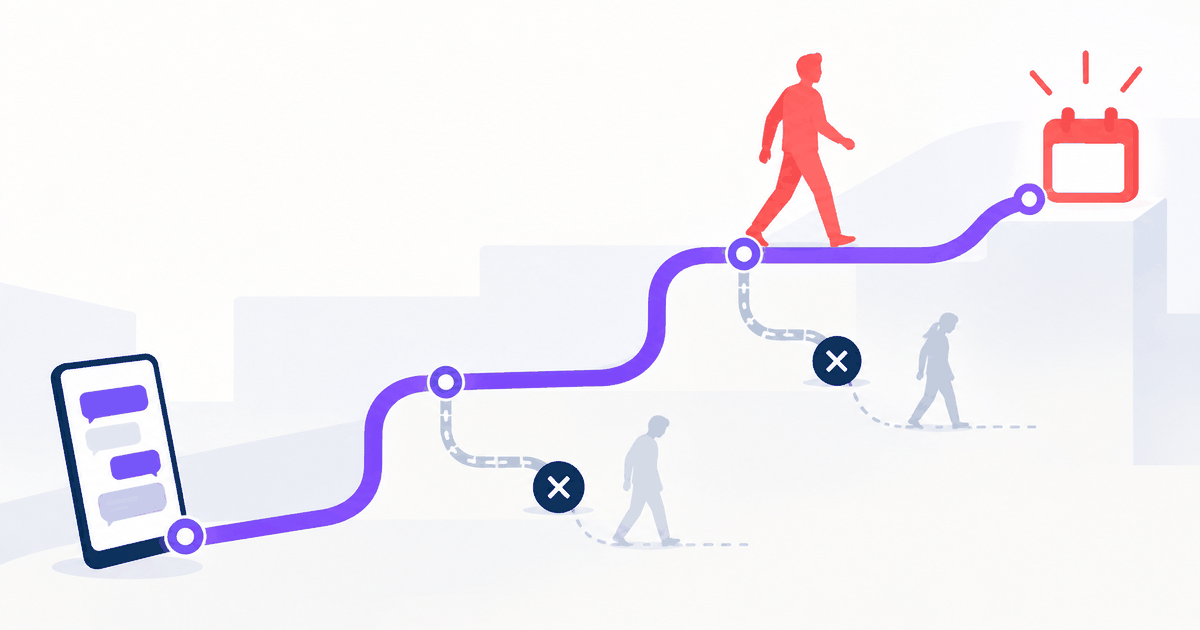
It’s 10 p.m., and a potential patient is sitting on the couch with a dull throb in their back molar. They find your dental practice website, scroll through your services, and decide you’re the right fit. So they fill out the contact form, close the laptop, and wait. By 9 a.m. the next day, when your front desk finally sees the message, that patient has already booked with the practice that responded at 10:02 p.m. the night before. That’s not a worst-case scenario. Many dental websites still rely on contact forms that go unmonitored after hours, and online dentist appointment booking that depends on a 9-to-5 inbox is already working against you before the first lead even submits.
Scheduling a dental visit online isn’t a convenience feature you add to check a box. It’s a conversion system, and when it’s built around the wrong tools, it quietly bleeds patients every single week. According to industry data, roughly 64% of dental website traffic and patient inquiries arrive outside standard business hours, which means that unmonitored contact form is surrendering your highest-intent leads around the clock. This is the gap that cOpilot by scanO was built to close: a 24/7 AI front desk that answers questions, routes urgent cases, and confirms bookings inside the chat window, without waiting for a staff member to log in the next morning.
This article walks through what a genuinely high-converting booking setup looks like, which features are non-negotiable, how the patient experience plays out on both desktop and mobile, and what the numbers look like when the system is actually built right.
Why do dental websites lose patients before booking?
The after-hours inquiry trap
Many practices still rely on a contact form as their primary booking mechanism, and that form routes submissions into an inbox that nobody monitors after 5 p.m. Patients who reach out in the evening or on weekends often face a response delay that stretches until the next business day, more than enough time for them to find another practice, get an instant confirmation, and mentally close the door on yours. The after-hours inquiry isn’t an edge case; it accounts for nearly two-thirds of all dental website traffic in the United States.
The problem compounds because these aren’t casual browsers. A patient searching for a dentist at 9 p.m. with tooth pain or a cracked filling has real, immediate intent. They’re ready to book. What they’re not willing to do is wait until morning for a callback. Practices that treat this window as manageable are quietly surrendering their highest-intent leads to competitors who respond faster.
What a contact form actually costs the practice
The cost of a missed inquiry isn’t just the value of one appointment. A new patient who books a routine cleaning has the potential to become a long-term patient with significant lifetime value, and losing them at the contact form stage also means losing every future visit, every referral they would have made, and every dollar spent on the ad or SEO click that brought them to the site. The contact form doesn’t just fail to convert; it actively destroys the ROI of every marketing dollar behind it.
An instant online booking system eliminates this problem by confirming the slot in real time. No lag, no follow-up, no second chance required. Practices with real-time online scheduling book approximately 20% more new patient appointments per month than those relying on phone or form-based requests, and that difference doesn’t come from running better ads. It comes from showing up at the moment the patient is ready.
What does online booking need in order to convert?
Real-time calendar sync and round-the-clock access
Real-time calendar sync is the foundation that every other feature depends on. If a patient selects a time slot that’s already taken, their trust in your practice collapses before they’ve ever walked through the door. Modern dental scheduling systems pull live availability directly from practice management software like Dentrix, Eaglesoft, or Open Dental, confirm the slot immediately, and write the appointment back to the PMS without a human in the loop. The key distinction to verify with any vendor is whether the integration is genuinely live and bidirectional, or just a periodic batch update that creates stale availability and double-booking risks.
Beyond sync accuracy, the system needs to be available around the clock. That same 64% of after-hours inquiries can only be captured when booking is open 24/7. A scheduling page that only works when the front desk is at their desk isn’t a booking system. It’s a very elaborate voicemail.
Compliance that protects patients and the practice
Dental practices in the United States can’t skip HIPAA compliance when building a digital booking flow. The technical safeguards required under HIPAA include access controls with unique user accounts, audit logging for every booking and edit, encryption of patient data both at rest and in transit, multi-factor authentication for systems accessing protected health information, and automatic session timeouts. These aren’t optional enhancements, they’re legal requirements, and industry guidance issued in 2026 has raised expectations in several of these areas, particularly around MFA and audit logging.
For practices with international patients, GDPR compliance adds another layer, specifically around data processing transparency and patient consent. Practices operating in India face ABDM alignment requirements as well. The practical implication for the booking flow: patient data submitted during scheduling must travel through encrypted channels and be stored with audit-ready records. Vendors should also document, and contractually agree via a signed business associate agreement (BAA) and clear data-use policies, that protected health information won’t be used to train third-party AI models. Any booking platform that can’t confirm these safeguards in writing should be crossed off the list immediately.
Emergency triage as a conversion and safety feature
A smart booking system does more than fill calendar slots. It reads context. When a patient describes severe pain, swelling, or facial trauma, routing them to a standard appointment picker is the wrong response. Emergency triage that detects urgent keywords and routes the patient directly to a phone line functions as both a safety measure and a trust signal that distinguishes a practice that genuinely cares from one that just has a scheduling widget. Anxious patients, particularly those dealing with dental emergencies, need to feel heard before they commit to booking. A system that handles this correctly keeps those patients on the line. A system that sends them to “select a visit type from the dropdown” often loses them.
Flows that lose people
- A form that asks everything up front
- Availability that does not match the real book
- A promise that someone will call back
Flows that finish
- Questions answered before the commitment
- Real slots, visible immediately
- Confirmation inside the same session
How does the booking flow actually work?
The patient journey from first click to confirmed slot
A well-designed online dentist appointment booking flow on desktop typically moves like this: the patient lands on the site, a chat widget or booking button greets them immediately, they select a visit type (cleaning, emergency, cosmetic consult), enter basic details including name, date of birth, reason for visit, and insurance carrier, see available slots in real time, and receive an instant confirmation. Every additional step between landing and confirmation reduces the likelihood the patient finishes. Simplicity isn’t a design preference here, it directly determines conversion rate.
For insurance information specifically, patients should expect to provide their carrier name, member ID, and group number. For new patients, some practices also request a brief medical history questionnaire before the appointment, either within the booking flow or immediately after confirmation. The booking system itself doesn’t need to complete full insurance verification in real time, but it should capture enough information for the front desk to verify coverage before the visit.
Where mobile booking breaks down
Most dental websites weren’t designed with mobile booking as a priority, and it shows. The most common failure points are form fields that require too much typing on a small screen, booking pages that don’t resize properly for mobile viewports, and confirmation buttons buried below the fold. Each of these friction points contributes to form abandonment, and research from UX and conversion studies consistently links slow or broken mobile experiences to higher drop-off rates before patients complete a dental appointment reservation.
A chat-based booking interface sidesteps most of these problems because it mirrors the SMS and messaging experience patients already use every day. Instead of navigating a multi-step form, the patient responds to short, conversational prompts. The flow feels natural on a phone because it was designed for conversational interaction, not web form submission, and that’s a structural advantage over traditional booking pages, not a cosmetic one.
How does cOpilot handle booking inside the chat?
In-chat booking flow and live calendar integration
cOpilot takes a different architectural approach than a standalone booking page. Instead of redirecting the patient to a separate scheduler, the entire appointment reservation happens inside the chat conversation. The patient answers a few targeted questions, cOpilot reads live availability from the clinic’s calendar, and the slot is confirmed without staff needing to step in. This flow works identically on desktop and mobile because it runs inside the chat interface rather than a form that has to be rebuilt for every screen size.
The calendar integration is designed to be bidirectional and live, so patients only see slots that are actually open, and every booking is written back to the practice management system immediately, with no batch sync delay and no manual confirmation step from the front desk. The appointment exists in the system the moment the patient confirms it. Prospective customers should request technical documentation and a live demo to verify these integration specifics for their PMS of choice.
The in-chat oral health assessment that pre-qualifies patients before booking
One of cOpilot’s differentiating features is an in-chat AI oral health assessment. Before confirming a booking, cOpilot can guide the patient through a brief structured intake directly within the chat conversation. This gives the practice useful context about the patient’s needs before they arrive, reducing no-shows caused by mismatched appointment types and giving the patient a concrete sense that the practice is already engaged in their care. It isn’t a replacement for the clinical exam; it’s a pre-qualification step that makes the actual visit more efficient. As with any digital intake tool, the scope and clinical limitations of this feature should be reviewed with your clinical team before deployment.
This kind of upfront engagement changes the patient relationship from the very first interaction. A patient who receives a tailored booking recommendation feels attended to, not processed. That emotional difference shows up in appointment completion rates and in how patients describe the experience to friends who are also looking for a dentist.
White-label deployment any clinic can add to their site
For multi-location dental groups or brands that need a consistent front desk experience across every location, cOpilot deploys as a fully white-labeled AI widget with the practice’s own branding, colors, and domain. The setup requires a single code snippet and no developer involvement. The clinic knowledge base that powers the chat is built from existing website content, then reviewed and approved by staff before going live, making it a realistic option for independent practices and large groups alike. Implementation timelines vary by site complexity; ask the cOpilot team for specifics that match your setup.

What do the results look like?
Conversion and time savings from switching to real-time booking
Consider what happens when a mid-size dental practice replaces a contact form with an AI-powered in-chat booking system. Before the switch, after-hours inquiries sit in an inbox until the next morning, and a meaningful share of those patients book elsewhere overnight. After implementing real-time in-chat scheduling, the same practice captures inquiries the moment they arrive, confirms appointments instantly, and stops losing patients to the overnight gap. Industry data suggests practices using real-time online scheduling book roughly 20% more new patient appointments per month than phone- or form-only practices, with the largest gains coming from after-hours windows, which is precisely where a contact form offers nothing.
Front desk workload also shifts meaningfully. When booking, FAQ responses, and basic triage are handled by the AI, staff spend less time on inbound scheduling calls and more time on in-office patient experience. For a busy practice, offloading a significant share of repetitive scheduling tasks changes what the front desk can actually focus on, and that’s an operational benefit worth measuring once the system is live.
The compounding benefit over time
The conversion gains from automated in-chat booking aren’t a one-time lift. Every patient who books through the system is captured in the lead dashboard with full context: the chat transcript, any intake results, the service booked, and the source of the inquiry. Staff can follow up intelligently on incomplete inquiries rather than working from a cold list. As that visibility accumulates, it reshapes how the practice understands and manages its patient pipeline, not just how it handles individual bookings.
Practices that adopt this model also stop losing the ROI on marketing spend. Every paid click, every organic search visit, every referral that lands on the website at 11 p.m. now has a real chance of converting. The system works while the team sleeps, and the morning report shows booked appointments instead of missed inquiries.
How do you add booking without a technical project?
The practical setup checklist
Getting a dental booking system live doesn’t require a developer or a months-long implementation. Here’s a concrete sequence to follow:
- Audit your current booking friction points: how many after-hours inquiries go unanswered, how long it takes to confirm a new patient request, and where patients are dropping off in the current flow.
- Choose a system that provides real-time, bidirectional calendar sync with your practice management software and carries documented HIPAA compliance, including a signed business associate agreement (BAA).
- Deploy the widget via a single code snippet on your website homepage and any high-traffic service pages.
- Configure the clinic knowledge base with your services, hours, insurance accepted, and any FAQs your front desk answers repeatedly.
- Test the complete booking flow from the perspective of a first-time mobile user, from landing page to confirmation screen.
- Set up appointment confirmation and reminder messaging so patients receive immediate confirmation and a reminder 24 to 48 hours before their visit.
What to verify before going live
Four things get skipped most often before a dental booking system launches, and all four matter. First, test the full booking flow on a smartphone as if you’ve never been to the site before. Second, confirm that emergency triage keywords route correctly to the clinic’s direct phone line rather than the appointment calendar. Third, verify that inquiries submitted outside business hours receive an instant response rather than a waiting message. Fourth, check that the calendar sync is reflecting accurate, live availability, not a cached version of yesterday’s schedule.
The difference between a booking system that works and one that just exists on the website comes down to these four checks. A system that fails any of them looks professional on the surface but loses patients in the actual booking moment, and that’s the only moment that counts.
What does a booking experience patients finish look like?
That patient at 10 p.m. with a toothache doesn’t need a better contact form. They need a practice that responds the moment they land on the site, shows them open appointment slots, and confirms their visit before they close the browser tab. That’s what a properly built online dental scheduling system delivers, and the gap between that and a contact form isn’t a matter of preference. It’s the difference between a patient who books with you and one who books with someone else.
Three features separate a booking setup that converts from one that leaks: real-time calendar sync that prevents double-booking and stale availability, 24/7 access with HIPAA-compliant data handling built into the flow, and a mobile-first experience that feels as natural as sending a text message. When all three are in place, the system converts. When any one of them is missing, patients slip away quietly, often to a competitor who also shows up in a “book dentist near me online” search and actually responds.
When your online dentist appointment booking is built right, patients book instead of bouncing. cOpilot by scanO brings together real-time in-chat scheduling, HIPAA-compliant data handling, and 24/7 availability in a single widget that clinics can add to their site without a developer. Start a free trial or reach out to the cOpilot team for a live walkthrough of the in-chat booking flow. Seeing it in action is the fastest way to know whether it fits your practice.
FAQ
When do most dental booking inquiries happen?
A large share arrive outside standard business hours, in the evenings and on weekends. An unmonitored contact form surrenders those high-intent patients to whichever practice replies first, which is why 24/7 booking matters.
Is cOpilot by scanO HIPAA compliant?
Yes. cOpilot provides HIPAA-compliant data handling, including encryption in transit and at rest, access controls, and audit logging, and scanO signs a business associate agreement (BAA) with US practices. For markets outside the US, data-handling terms are market-specific, so confirm the current terms for your region with the scanO team.
Does in-chat booking work well on mobile?
Yes. Because the flow runs inside a chat conversation rather than a multi-step form, it works identically on desktop and mobile and mirrors the messaging experience patients already use, which reduces the form abandonment common on small screens.
How quickly can a practice add cOpilot to its website?
cOpilot deploys with a single code snippet and no developer involvement. The clinic knowledge base is built from existing website content and approved by staff before going live.