

There is no single best dental practice management software, and any page that names one without asking about your practice is guessing. The right PMS depends on four things: whether you want cloud or on-premise, how many locations you run, which imaging and clearinghouse tools you already depend on, and which market you operate in, because the strongest options in the UK are not the strongest in North America. Dentrix, Eaglesoft, Open Dental, Curve Dental, Denticon, Dentally, Software of Excellence, and Carestream Dental are all credible, and each is the best choice for a different kind of practice. This page compares them by capability rather than price, and explains where an AI front desk layer sits on top. If you are specifically weighing a move off one system, we go deeper on the realistic options for leaving Dentrix.
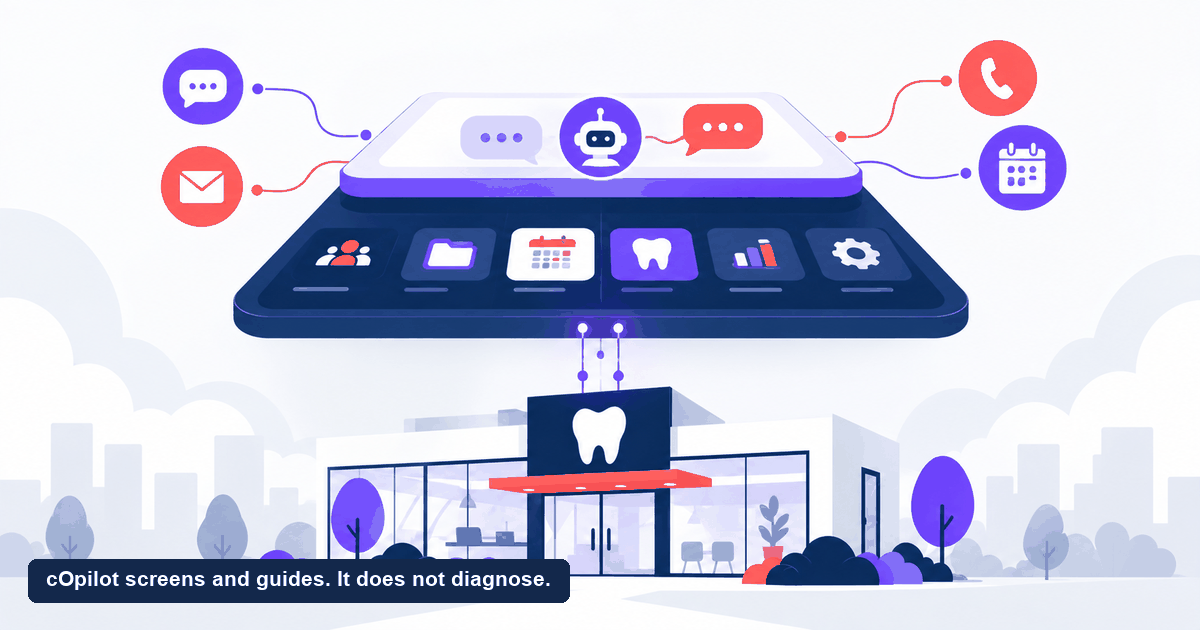
One thing to settle up front. cOpilot from scanO is not a practice management system. It does not hold your clinical records, run your ledger, or submit your claims. It is a layer that sits on top of whichever PMS you choose. If you are shopping for a PMS, you are still shopping for a PMS after reading this.
What does a dental PMS actually have to do?
A PMS is the system of record for your practice. Strip away the marketing and it carries six loads:
- Clinical records. Charting, treatment plans, notes, and history, retained to the standard your regulator requires.
- The schedule. Chairs, providers, operatories, recall, and the daily book your whole practice runs from.
- Billing and claims. Ledger, estimates, insurance or scheme submissions, and the money side of every visit.
- Imaging. Storing and displaying radiographs and photos, and integrating with your sensor and scanner hardware.
- Patient communication. Reminders, recall, and increasingly two-way messaging, sometimes native and sometimes through a partner.
- Reporting. Production, collections, recall performance, and the numbers you actually manage the business by.
Everything else is a preference. Those six are the floor, and a PMS that is weak in one of them will be weak in it for years, because these are hard systems to rewrite.
How do the leading options compare?
This is a capability comparison, not a price comparison. Pricing varies by vendor, module, number of providers, number of locations, and region, and it changes, so contact each vendor for current plans. Feature sets also move, so confirm anything decisive with the vendor before you sign.
| System | Deployment | Best suited to | Notable strength | Primary markets |
|---|---|---|---|---|
| Dentrix | On-premise, with a separate cloud product | Established single and small group practices | Very large installed base and integration ecosystem | North America |
| Eaglesoft | On-premise | Practices standardized on Patterson hardware | Tight imaging and equipment integration | North America |
| Open Dental | On-premise or hosted | Technically confident practices and groups | Open database access and deep customization | North America, and internationally |
| Curve Dental | Cloud | Practices wanting cloud without a server | Browser-native, low IT overhead | North America |
| Denticon | Cloud | Multi-location groups and DSOs | Centralized reporting across locations | North America |
| Dentally | Cloud | UK and Ireland practices | Built around UK workflows and reporting | UK, Ireland |
| Software of Excellence | On-premise and cloud options | Established UK and Australasian practices | Long track record and local support | UK, Australia, New Zealand |
| Carestream Dental | On-premise and cloud options | Imaging-heavy practices | Imaging pedigree | North America, UK, Europe |
Read that table as a map of trade-offs rather than a ranking. On-premise systems generally give you more control, more established integrations, and more IT responsibility. Cloud systems generally give you less IT overhead, easier multi-site access, and more dependence on your connection and on the vendor’s release cycle. Neither is the better choice in the abstract.
How to narrow it down quickly
- Start with your market. Claims, coding, and regulatory reporting are country-specific. A system with no local support in your country will cost you more in workarounds than it saves anywhere else.
- Then your hardware. If your imaging sensors, scanners, and radiography are already committed, let the integration list rule options in or out before you look at anything else.
- Then your structure. One site and two chairs is a different problem from nine sites and a central admin team. Multi-location reporting is the capability most often discovered too late.
- Then migration. Ask every vendor exactly what comes across from your current system, what does not, and who does the work. This is where switching projects go wrong.
- Price last. Capability comparisons age slowly. Price quotes age in weeks.
Why is the front desk layer a separate decision?
Here is the pattern that trips up a lot of buyers. A practice is frustrated that inquiries go unanswered, that the phone rings out at lunchtime, and that the website produces visitors instead of bookings. It concludes the PMS is the problem and starts a migration project.
Usually the PMS is not the problem. A PMS is built to be excellent at records, scheduling, and billing. It is not built to hold a conversation with a nervous patient at eleven at night. Most systems offer some patient communication, and some do it well, but the conversational front desk is a different job with a different shape, which is why a whole category of tools has grown up alongside the PMS rather than inside it.
Treat them as two decisions. The PMS is your system of record and a multi-year commitment. The front desk layer is how patients reach you, and it can be changed without touching your records. Conflating the two turns a small fix into a large project. For the wider background, see how dental practice management software works.
Your PMS should win on
- Depth in scheduling, charting and billing
- Reporting the owner will actually open
- Integrations with the hardware you own
Judge a front desk layer on
- Whether it answers a stranger well
- Whether it books without a human present
- Whether what it hands over is clean
Where does cOpilot fit?
scanO makes cOpilot, and the boundary deserves stating before anything else: it is not a PMS and does not replace one. It has no ledger, no charting, and no claims submission, and it is not trying to acquire them. It answers patient questions in plain language on your website and messaging channels, books appointments, and collects dental intake, around the clock, and then hands structured information to the team working in your practice management system.
The reason it is dental-specific matters more than it sounds. A general business chat tool answers a general question well. A dental front desk knows the shape of the questions dental patients ask, what a first visit involves, what counts as urgent, what a nervous patient needs to hear, and it responds in kind.
The Pro plan adds one more input. A photo sent during the conversation lets cOpilot flag what may warrant review and suggest an urgency level, so the desk can sequence the day rather than take everyone in the order they wrote in. That is screening support for prioritizing, not a clinical conclusion. cOpilot screens and guides. It does not diagnose. The clinical judgment stays with the dentist, where it belongs. scanO’s platform is live in 1,066 dental clinics. If your gap is answering and booking rather than records and billing, look at an AI receptionist built for dental practices before you plan a PMS migration.
Who should choose an alternative?
Several honest cases where a different answer is the right one.
- Your PMS communication module is already doing the job. Some systems include reminders, recall, and two-way messaging that a practice with steady demand and good phone coverage may find sufficient. If your inquiries are being answered and your book is full, adding a layer solves a problem you do not have.
- Your patients want a person, not software. If your demographic calls rather than types and will wait for a human, a staffed answering service is the better experience. Respect that rather than arguing with it.
- You need payments, reviews, or a full marketing suite in one place. cOpilot is focused on answering, booking, and intake. It does not run a reviews program or collect payments. A broader communications platform, or your PMS vendor’s own suite, may be the cleaner fit.
- Your real problem is genuinely the PMS. If your system cannot report across your locations, cannot support the imaging you have bought, or is no longer supported in your market, no front desk layer will fix that. Migrate, and treat this page’s table as your starting shortlist.
- You want a single vendor for everything. Some groups value one contract and one support line above best-of-breed capability. That is a legitimate procurement position, and it points toward whichever PMS vendor offers the widest native suite.
What should you ask every vendor?
Ask all of them the same questions, and write the answers down, because demos blur together fast.
- What exactly migrates from my current system, what does not, and who does the work?
- Where is patient data stored, under which jurisdiction, and what are the access controls and audit logs?
- Which imaging hardware and clearinghouses are supported today, not on a roadmap?
- What does support look like in my country and my time zone?
- If I leave, what do I get back, in what format, and what does that cost?
- What is the full first-year cost including modules, setup, training, and migration? Pricing varies, so get it in writing for your practice rather than from a published table.
That last point applies across this page. Every system named here prices differently by module, provider count, and region, and none of those figures stay accurate for long. Contact each vendor for current plans and compare capability first.
Frequently asked questions
What is the best dental practice management software?
There is no single best option. The right system depends on your market, whether you want cloud or on-premise, how many locations you run, and which imaging hardware you already use. Dentrix, Eaglesoft, Open Dental, Curve Dental, Denticon, Dentally, Software of Excellence, and Carestream Dental are all credible, and each suits a different kind of practice.
Is cOpilot a dental practice management system?
No. cOpilot is an AI front desk layer that answers patient questions, books appointments, and collects intake. It does not hold clinical records, run a ledger, or submit claims, and it does not replace your practice management system. It sits on top of whichever PMS you choose.
Should I switch my PMS to fix missed calls and unanswered inquiries?
Usually not. Missed inquiries are a front desk coverage problem rather than a records problem, and a PMS migration is a large project to solve it with. Address the front desk layer first, and migrate the PMS only if the system of record itself is failing you.
Is cloud dental software better than on-premise?
Neither is better in the abstract. Cloud reduces IT overhead and makes multi-site access easier, while depending on your connection and the vendor’s release cycle. On-premise gives more control and often more mature integrations, at the cost of maintaining servers and backups. Choose against your own constraints.
Can I use an AI front desk alongside my existing PMS?
Yes, and that is the normal arrangement. The front desk layer handles the conversation and the booking, then passes structured information to the team working in your practice management system. The two decisions are separate, and the front desk layer can be changed without touching your records.
How much does dental practice management software cost?
Pricing varies widely by vendor, module, provider count, location count, and region, and it changes regularly, so there is no dependable figure to publish. Ask each vendor for a current quote scoped to your practice, including setup, training, and migration, and compare the full first-year cost.
Name the gap before you shop. If it is records, charting, and claims, the list above is where to spend your evaluation time. If it is patients who cannot reach you and a book that will not fill, look instead at how an AI front desk works alongside your PMS, and take the terms for your market to the scanO team in writing.