

Practices look for Dentrix alternatives for a small number of recurring reasons: they want to move off a server to the cloud, they want easier reporting across multiple locations, they want a different support relationship, or they want more direct access to their own data. The credible alternatives by capability are Open Dental, Curve Dental, Eaglesoft, Denticon, Carestream Dental, and in the UK and Australasia, Dentally and Software of Excellence. Dentrix also has a cloud sibling, Dentrix Ascend, which is worth pricing before you leave the family entirely. And one thing worth establishing before you start: if your actual complaint is missed calls and unanswered inquiries, that is a front desk problem, not a records problem, and switching your PMS will not fix it.
Below: why practices leave, the alternatives compared by capability, who should stay with Dentrix, and where the front desk layer sits.
Why do practices look at Dentrix alternatives?
Dentrix is one of the most widely deployed dental practice management systems in North America, with a long track record and a large third-party integration ecosystem. That installed base is real value: your imaging works, your clearinghouse works, and any consultant you hire has seen it before. Practices still move, usually for one of these reasons.
- Deployment model. The core Dentrix product is server-based. Practices that want browser access from anywhere, with no server to maintain, look at cloud-native systems.
- Multi-location reporting. Groups adding locations often hit the point where they want one consolidated view rather than reports assembled per site.
- Data access. Some practices want direct query access to their own database for custom reporting, which is a specific architectural preference rather than a criticism.
- Total cost and module structure. Buyers want to compare what is bundled against what is an add-on. Pricing varies by configuration and region, so this is a quote conversation, not a table.
- Support fit. Support experience varies by market and reseller, and some practices want a different arrangement.
Work out which of those is actually your reason before you shortlist. A practice leaving over reporting has a different shortlist from a practice leaving over servers.
How do Dentrix alternatives compare by capability?
This table compares capability and model, not price. Pricing varies by vendor, module, provider count, location count, and region, and it changes, so contact each vendor for current plans. Feature sets move too, so confirm anything decisive directly. Each entry reflects what the vendor published as of September 2026. If you want the wider field rather than Dentrix replacements specifically, we set out the leading practice management systems side by side.
| System | Deployment | Best suited to | Notable strength | Main trade-off |
|---|---|---|---|---|
| Dentrix | On-premise | Established practices with committed integrations | Large ecosystem and deep feature maturity | Server to maintain |
| Dentrix Ascend | Cloud | Dentrix practices wanting cloud without leaving the family | Familiar vendor, browser based | Different product, so still a migration |
| Open Dental | On-premise or hosted | Technically confident practices and groups | Direct database access and deep customization | Expects more technical ownership |
| Curve Dental | Cloud | Practices wanting cloud with low IT overhead | Browser-native, nothing to install | Depends on your connection |
| Eaglesoft | On-premise | Practices standardized on Patterson equipment | Tight imaging and hardware integration | Server based, ecosystem specific |
| Denticon | Cloud | Multi-location groups and DSOs | Centralized cross-location reporting | More system than a single site needs |
| Carestream Dental | On-premise and cloud options | Imaging-heavy practices | Imaging pedigree and breadth | Product line spans several systems |
| Dentally | Cloud | UK and Ireland practices | Built around UK workflows and reporting | Market specific |
| Software of Excellence | On-premise and cloud options | Established UK and Australasian practices | Long track record and local support | Market specific |
Every one of those is a serious system running real practices. The differences are architectural and market-specific, not a matter of one being good and the others not. Match the deployment model and the market first, then the integration list, then everything else.
A migration checklist worth using
- Ask what actually migrates. Charting, images, ledger history, treatment plans, and perio data do not all move equally well. Get a written list of what comes across and what does not.
- Check your imaging hardware first. If your sensors and scanners will not integrate, nothing else on the feature list matters.
- Plan for the productivity dip. Teams slow down for weeks after a PMS change. Budget the chair time, not just the license.
- Confirm your exit terms. Ask the new vendor what you get back if you leave, in what format, and what it costs. Ask before you sign, not after.
- Test your reports. Rebuild your three most important management reports in the demo environment before you commit.
Is the front desk layer a separate decision?
This is the most common and most expensive mistake in this category. A practice is losing new patients because the phone rings out at lunchtime and the website produces visitors instead of bookings. The team is frustrated with the software they touch all day, which is the PMS, so the PMS gets blamed and a migration project starts.
A PMS is built to be excellent at records, scheduling, billing, and imaging. It is the system of record, and changing it is a multi-year commitment with real disruption. Talking to a nervous patient at eleven at night is a different job with a different shape. That is why a separate category of front desk tools has grown up alongside practice management systems rather than inside them.
Separate the two questions. Is my system of record failing me, on records, reporting, imaging, or claims? That is a PMS question, and the table above is your shortlist. Or are patients failing to reach me and failing to book? That is a front desk question, and it can be answered without touching your records at all. For the fuller picture, see what a dental practice management system has to do.
The PMS decision is about
- Scheduling, charting, billing and reporting
- Patients who are already in your records
- A migration measured in months
The front desk decision is about
- People on your website who are not patients yet
- Capturing interest before it leaves
- A change you can make without touching the PMS
Where does cOpilot fit?
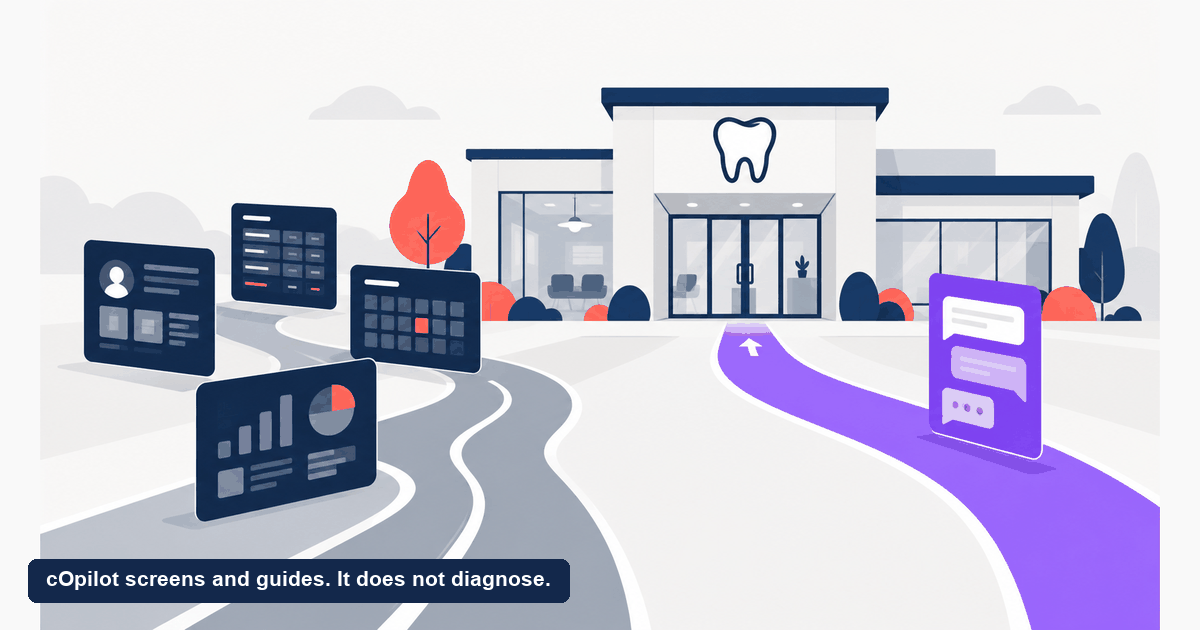
scanO’s product in this space is cOpilot, and the boundary matters more than the pitch: cOpilot is not a Dentrix replacement and is not a practice management system. It has no charting, no ledger, and no claims submission. It is not an alternative to Dentrix, it is a layer that works alongside whichever PMS you keep or move to.
What it does is answer. It handles patient questions in plain language on your website and messaging channels, books appointments into your schedule, and collects dental intake, around the clock. Because it is built for dentistry rather than adapted from a general business tool, it knows the shape of the questions dental patients ask and responds in kind.
Practices on the Pro plan get one extra signal. A photo attached to the conversation lets cOpilot flag what may warrant review and suggest an urgency level, so the booking arrives with an order of priority already on it. That is screening support for sequencing, not a clinical conclusion. cOpilot screens and guides. It does not diagnose. The clinical judgment stays with the dentist. scanO’s platform is live in 1,066 dental clinics. If the pain you are feeling is unanswered inquiries rather than unusable records, look at an AI receptionist for dental practices before you commit to a migration.
Who should stay with Dentrix?
Leaving Dentrix is not automatically an upgrade, and for many practices staying is the better commercial decision. Stay if:
- Your integrations are deep and working. Imaging, clearinghouse, third-party add-ons, and a decade of muscle memory all carry value that does not appear on any comparison table. Replacing a working ecosystem is expensive in ways that are hard to quote.
- Your team is fluent. A confident team on a mature system out-performs a hesitant team on a newer one for longer than most buyers expect. The productivity dip after a migration is real.
- You want cloud but not a new vendor. If the cloud is your only reason to leave, price Dentrix Ascend alongside the alternatives. It is still a migration, but the vendor relationship and support path stay familiar.
- Your complaint is really about the front desk. If your records, reporting, and claims are fine and the problem is that patients cannot reach you, changing your PMS solves nothing and costs a great deal.
- You are mid-expansion. Migrating a system of record while opening a location or onboarding associates stacks two hard projects. Sequence them.
Switch when the system of record itself is the constraint: reporting you cannot get, hardware you cannot integrate, a deployment model that no longer suits how you work, or support that is not serving your market. Those are reasons. Frustration with unanswered phones is not.
How do you run the evaluation properly?
Write down your reason for looking, in one sentence, before you take a single demo. Then hold every vendor to the same five questions. What exactly migrates from Dentrix and who does the work. Which of my imaging devices and clearinghouses are supported today rather than on a roadmap. Where is patient data stored, under which jurisdiction, and what are the access controls and audit logs. What does support look like in my country and time zone. What do I get back if I leave, in what format, and at what cost.
Then price it, once you have a shortlist that passes on capability. Every system named here prices by module, provider count, location count, and region, and none of those numbers stay accurate long enough to publish. Ask each vendor for current plans scoped to your practice and compare the full first-year cost including setup, training, and migration.
Frequently asked questions
What are the best alternatives to Dentrix?
Open Dental, Curve Dental, Eaglesoft, Denticon, and Carestream Dental are the main North American alternatives, with Dentally and Software of Excellence the leading options in the UK and Australasia. Dentrix Ascend is the cloud product from the same vendor and is worth pricing if the cloud is your main reason for looking.
Is cOpilot an alternative to Dentrix?
No. cOpilot is an AI front desk, not a practice management system. It has no charting, ledger, or claims submission and does not replace Dentrix. It works alongside whichever PMS you use, handling patient questions, booking, and intake.
Should I leave Dentrix because we keep missing patient calls?
Probably not. Missed calls and unanswered website inquiries are a front desk coverage problem, and a PMS migration is a disruptive and expensive way to address it. Fix the front desk layer first, and migrate only if your system of record is genuinely failing on records, reporting, imaging, or claims.
How hard is it to migrate off Dentrix?
It is a significant project. Charting, images, ledger history, treatment plans, and perio data do not all migrate equally well, and teams slow down for weeks afterward. Get a written list of what transfers and what does not, and budget the lost chair time alongside the license cost.
Is cloud dental software better than Dentrix on-premise?
Neither is better in the abstract. Cloud removes the server and makes multi-site access easier, while depending on your connection and the vendor’s release cycle. On-premise gives more control and often more mature hardware integrations, at the cost of maintaining infrastructure. Choose against your own constraints.
How much do Dentrix alternatives cost?
Pricing varies by vendor, module, provider count, location count, and region, and it changes regularly, so there is no dependable figure to publish here. Ask each vendor for a current quote scoped to your practice and compare full first-year cost including setup, training, and migration.
A migration is a year of your team’s attention, so be sure the pain is really in the records. If your evaluation keeps circling back to patients who cannot reach you, look first at how an AI front desk works alongside your existing PMS, and ask the scanO team what the terms look like where you practice.